How Image to Video AI Creates Realistic Motion from a Single Photo
Turning a single still image into a short video with lifelike motion used to require complex animation software, multiple reference shots, or hours of manual editing. Recent advances in AI video models have changed that, making it possible to generate a clip from one photo that maintains visual consistency and believable movement. This technology is often called image-to-video generation, and it has attracted attention from content creators, marketers, and hobbyists alike.
At its core, image-to-video generation works by analyzing the contents of a static image and predicting how objects, textures, and lighting would change over a short period. The AI model learns from vast collections of video data to understand patterns of motion, such as how water ripples, how a flag flaps in the wind, or how a person's hair moves when they turn their head. When you provide a photo, the model extrapolates these patterns to produce a sequence of frames that feel continuous and natural.
What Makes Motion Look Realistic
The quality of the output depends heavily on how well the AI handles temporal coherence. Temporal coherence means that each frame in the video logically follows the one before it, with no sudden jumps or flickering. A common problem in early image-to-video tools was that objects would warp, disappear, or change color unpredictably between frames. Modern models address this by using techniques like frame interpolation, where the AI generates intermediate frames to smooth out the transition from one moment to the next.
Another factor is motion consistency. This refers to the idea that the movement of any given element should behave as it would in the physical world. For example, if a photo shows a car on a road, the car should move along the road rather than floating upward. Achieving motion consistency requires the model to understand the scene's geometry and the likely direction of motion for each object. Some models also incorporate depth estimation, which helps them decide which parts of the image are in the foreground and which are in the background, influencing how they move relative to each other.
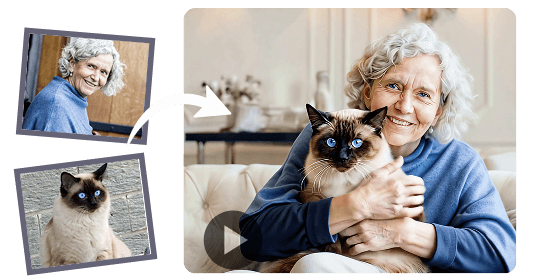
Cinematic Audio Adds Atmosphere
While motion is the primary focus, audio can transform a short clip from a technical demo into an engaging piece of content. Some image to video ai tools now generate a soundtrack or ambient sound that matches the scene, such as wind rustling through trees or the hum of a city street. This audio is typically synthesized based on the visual content, and when done well, it deepens the sense of realism. Without audio, even a perfectly smooth video can feel flat. With it, the viewer is more likely to suspend disbelief and feel present in the scene.
Of course, generating audio adds another layer of complexity. The AI must not only decide what sounds are likely present but also synchronize them with the motion. A scene with waves crashing should have audio that peaks at the same moment the foam splashes. Getting this right requires careful alignment between the visual and audio generation pipelines.
Practical Workflow for Image-to-Video Generation
Using an image-to-video tool typically follows a straightforward workflow. You start by selecting a source image, which should be clear and well-composed. The better the input, the more information the AI has to work with. Next, you choose a prompt or preset that describes the desired motion, such as "gentle breeze" or "slow camera pan." Some tools allow you to specify which parts of the image should move and which should remain still, giving you more control over the result.
After the model processes the image, it outputs a short video, usually a few seconds long. Many tools then allow you to adjust parameters like motion strength, frame rate, or duration. A higher motion strength might produce more dramatic movement, but it can also introduce artifacts if the model struggles to maintain coherence. Finding a good balance often requires a few tries.
One common pitfall is expecting the AI to create motion that contradicts the image's inherent stillness. For instance, if you submit a portrait taken against a plain background, the model has little context to generate interesting movement. The subject's eyes might blink, but the scene will remain largely static. For more dynamic results, choose images with elements that naturally suggest motion, like flowing water, moving vehicles, or people in active poses.
Trade-Offs: Quality Versus Speed
Not all image to video ai models are equal. Some prioritize speed, generating a clip in seconds, while others invest more computation time for higher visual realism. The trade-off is noticeable: faster models may produce blurrier frames or less consistent motion, especially in complex scenes. Slower models can render fine details like hair strands or fabric textures more accurately, but they require more patience.

Another consideration is resolution. Many tools output videos at lower resolutions than the source image, which can be a disappointment if you need high-quality footage for professional use. However, some newer models support upscaling during generation, producing 1080p or even 4K clips. These models demand significantly more processing power, so they are often available through cloud services rather than local software.
What to Watch Out For
Even the best models have limitations. You may notice that objects in the background sometimes flicker or that the motion of a moving object slows down or speeds up unnaturally. This is especially common when the source image contains many small, overlapping details, like a crowd or a forest. The AI can also struggle with reflective surfaces, such as water or glass, because the way light bends and changes is difficult to predict from a single frame.
Another issue is that the AI might introduce elements that were not present in the original photo. For example, a cloudless sky might suddenly gain a few clouds that appear and disappear between frames. This happens because the model tries to fill in details that it thinks are likely, but without a second frame as reference, it can guess incorrectly. Some tools allow you to seed the generation with a random number, so you can try multiple outputs until you get one that matches your expectations.
Given these limitations, it helps to treat image-to-video generation as an iterative process. Rather than expecting a perfect output on the first try, generate several versions, compare them, and adjust your input or settings. Over time, you develop a sense for which types of images produce the best results.
Where This Technology Fits In
Image to video ai is not meant to replace full video production, but it can fill specific needs. Social media posts, short promotional clips, and personal projects are natural use cases. It also works well as a starting point for longer videos, where you can combine several AI-generated clips with transitions and a soundtrack. For creators who work with static assets like product photos or concept art, this tool offers a way to bring those images to life without learning complex animation software.
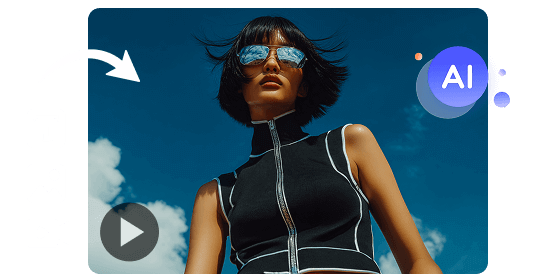
As the technology matures, expect better motion consistency, higher resolutions, and more control over the final output. For now, understanding the strengths and weaknesses of current models helps you get the most out of them. A good rule is to start simple, test often, and not be afraid to discard a clip that does not work.
Choosing an image with clear subjects, good lighting, and a simple background gives the AI the best chance of producing a video that looks both realistic and pleasing. With practice, you can consistently generate short clips that surprise viewers with how naturally they move.